
The order docket · four lines
GHL custom CSS and JS, installed in two minutes
Installing GHL custom CSS from the customizer is a paste, not a project: one JavaScript line in Custom JS and one CSS import in Custom CSS, under Agency Settings, Company, White Label. After that, every design you save reaches GoHighLevel by itself. Here is the whole docket, from order to service.
Choose a package and pay
Pick Appetizer, Main Course or Chef's Table and pay once by card through Stripe. No subscription is created.
Get your login by email
The account is created automatically and your email plus a temporary password arrive within minutes, never later than 24 hours.
Customize in the live editor
Log in, change the password, then pick your theme, login page, menus and widgets with a live preview beside every setting.
Paste one line into GoHighLevel
Agency Settings, Company, White Label, Custom JS: paste the line once (plus one CSS line for the login page). Later edits go live with no re-install.
Where the lines go
Agency Settings → Company → White Label
GoHighLevel has two boxes for agency-wide code. The customizer gives you a short line for each; you never edit long stylesheets by hand.
- Custom JS
- one loader line
- Custom CSS
- one import (login page)
- Time
- about 2 minutes
- Re-installs after edits
- none
We never ask for your GoHighLevel login. The lines only load your design; they read nothing from your contacts.
Included from Appetizer
Privacy mode: blur guest details on a screen-share
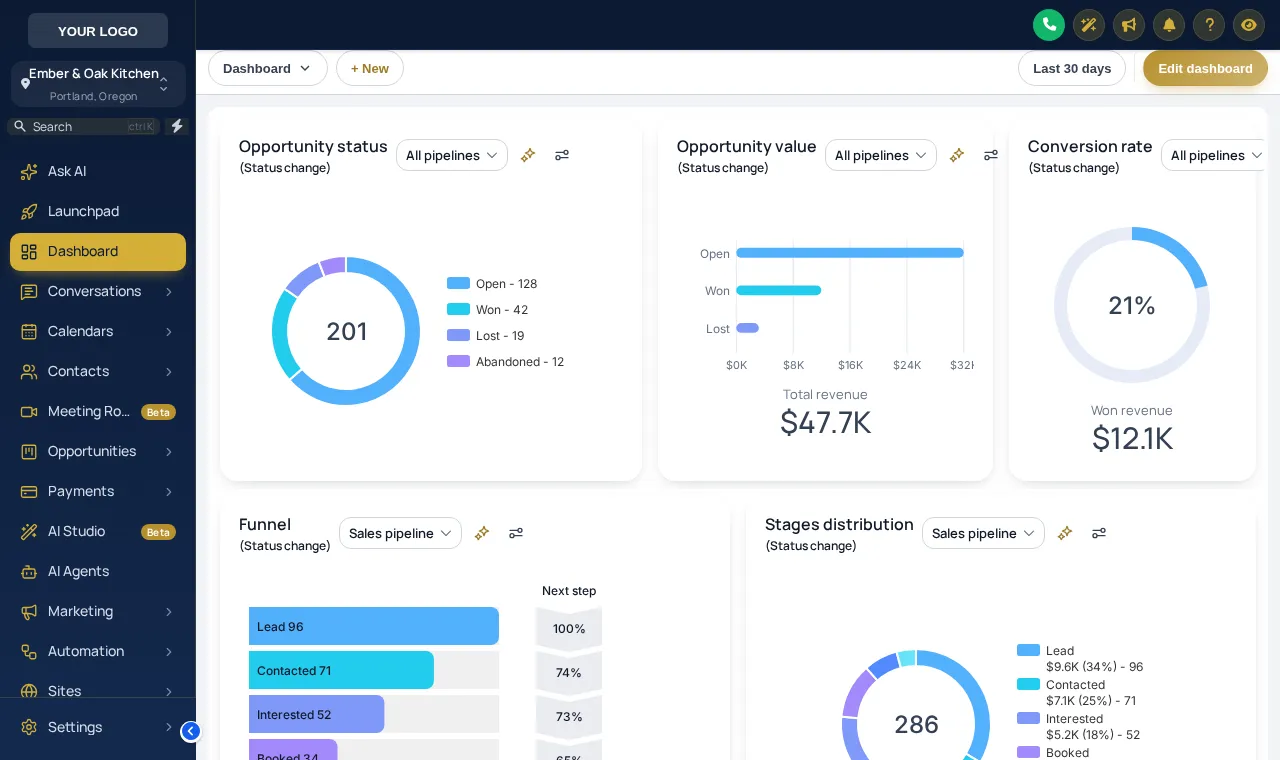
Training a new host over a video call, or recording a walkthrough for a client? Privacy mode adds an eye button to the GoHighLevel header that blurs guest names, emails and phone numbers until you press it again. Try it on the sample guest list below.
Warming up the live preview
Royal Navy & GoldPress the eye button at the right of the header inside the preview: names, emails and phone numbers blur for a screen-share. Press it again to bring them back.
Housekeeping
What keeps a GHL white label custom CSS install safe
Every save is kept. Appetizer holds the last 5 versions and the larger menus the last 10, each ready to restore in one click.
The design only runs on the domains you allow: 5, 10 or 25 depending on the menu.
From Main Course, post a short announcement to everyone who logs in, such as a new booking flow going live on Friday.
On Chef's Table, the editor your team uses shows your logo, colours and name instead of ours.
Install questions
GoHighLevel custom JS and CSS FAQs
Where do I put custom CSS in GoHighLevel?
In the agency view: Settings, Company, White Label. The customizer gives you one JavaScript line for the Custom JS box and one CSS import for the Custom CSS box. The CSS line is only needed for the login page design.
How long does the install take?
About two minutes, once. Copy the two lines from your customizer account, paste them into GoHighLevel and save. Reload GoHighLevel and the design is there.
Do I need to re-install after I change a design?
No. The line you paste is a loader that fetches your current design. Every save in the customizer reaches GoHighLevel on the next page load, with no new code to paste.
Will it break my workflows, forms or snapshot?
No. The customizer changes appearance and adds optional controls. Workflows, triggers, forms, calendars and any restaurant snapshot you have installed keep running as they did.
How do I undo it?
Restore an earlier version from version history in the customizer, or delete the two lines from GoHighLevel. GoHighLevel goes back to its stock look on the next reload.
My restaurant uses an agency’s GoHighLevel. Can I still install it?
Only someone with access to that agency’s settings can paste the line. Send your agency the two lines from your account; it is a two-minute job and nobody needs to share a password.
What is privacy mode?
An eye button in the GoHighLevel header that blurs names, emails and phone numbers on screen. Useful when you share your screen in a client call or record a training video. It is included from the first menu.
What is the domain lock?
Your design only runs on the domains you list in the account, so a copied install line cannot dress someone else’s GoHighLevel. The number of allowed domains depends on the package.
What does the white-label editor change?
On Chef's Table, the customizer editor itself carries your logo, colours and name, so team members you invite see your brand while they work.
What are in-app announcements and sub-account self-service?
Both are switched on from Main Course. Announcements put a short message in front of the people who log in to GoHighLevel; the sub-account self-service options are enabled in the same account, and the help docs inside the customizer explain each setting.
The rest of the menu
What you can switch on once it is installed
Ready when you are
Two lines today, a dressed GoHighLevel tonight
Order, get your login by email, pick a design and paste the lines. Everything after that is a save button.
Paid once by card through Stripe · login by email within minutes · no monthly fee