Course II · Table setting
A GoHighLevel white label theme, laid like fresh linen
A GoHighLevel white label theme dresses every screen in your colours, not just the login. Choose from 27 complete themes and 11 UI kits, add your logo, switch on dark mode, and the whole app follows: dashboards, conversations, contacts and the pipeline.
Every swatch is one theme: sidebar colour and accent. Outlined: tonight’s picks, Obsidian OLED, Royal Navy & Gold and Prism Pro.
Try it on
GHL theme preview on a sample restaurant
Pick a theme, lay a UI kit over it, flip into dark mode and move between contacts, the dashboard and opportunities. It is the real engine on a copy of GoHighLevel; the menu and the quick-add form respond.
Warming up the live preview
Obsidian OLEDThe real customizer engine restyling a copy of the GoHighLevel interface for a sample restaurant. The menu, the collapse arrow and the quick-add form inside it all respond.
- 27
- complete themes, 3 of them dark by design
- 11
- UI kits that redraw cards, tables, tabs and inputs
- 1
- dark mode switch that covers the whole app
- $157
- once, on Appetizer, with all 16 login designs too
Three settings, three rooms
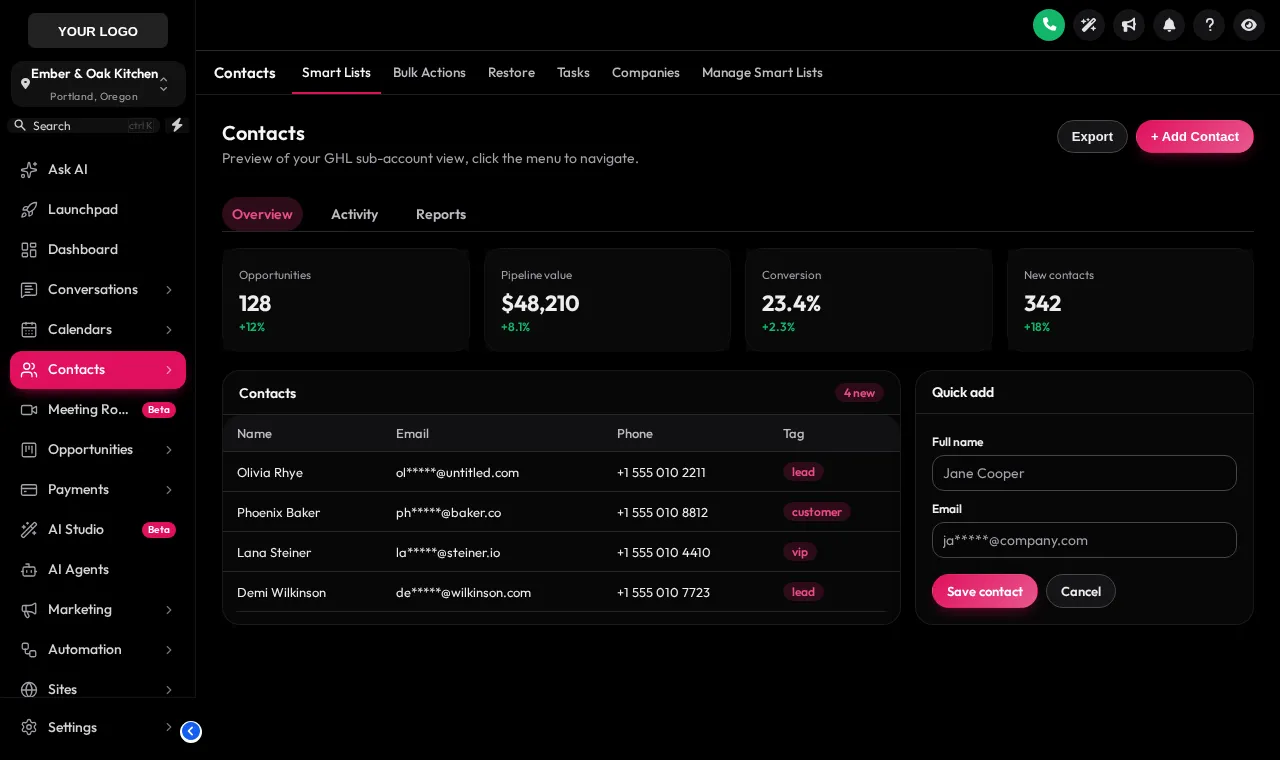
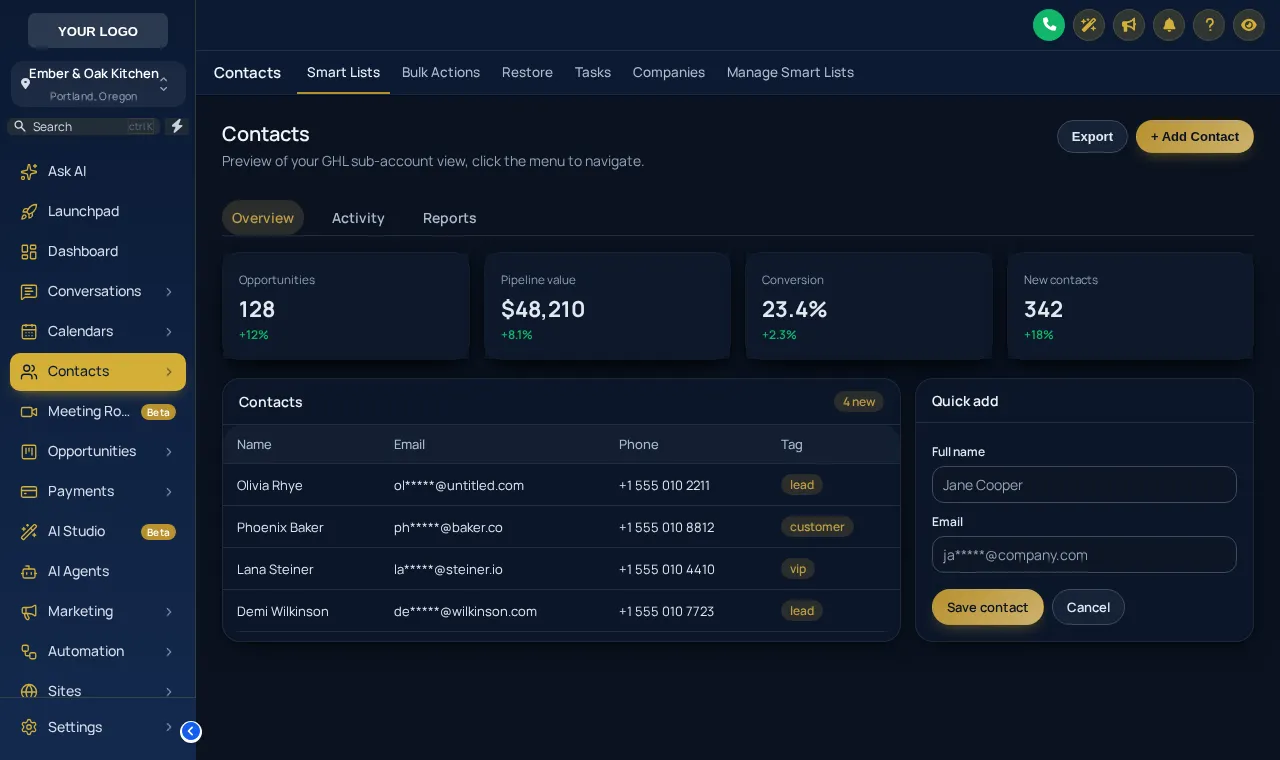
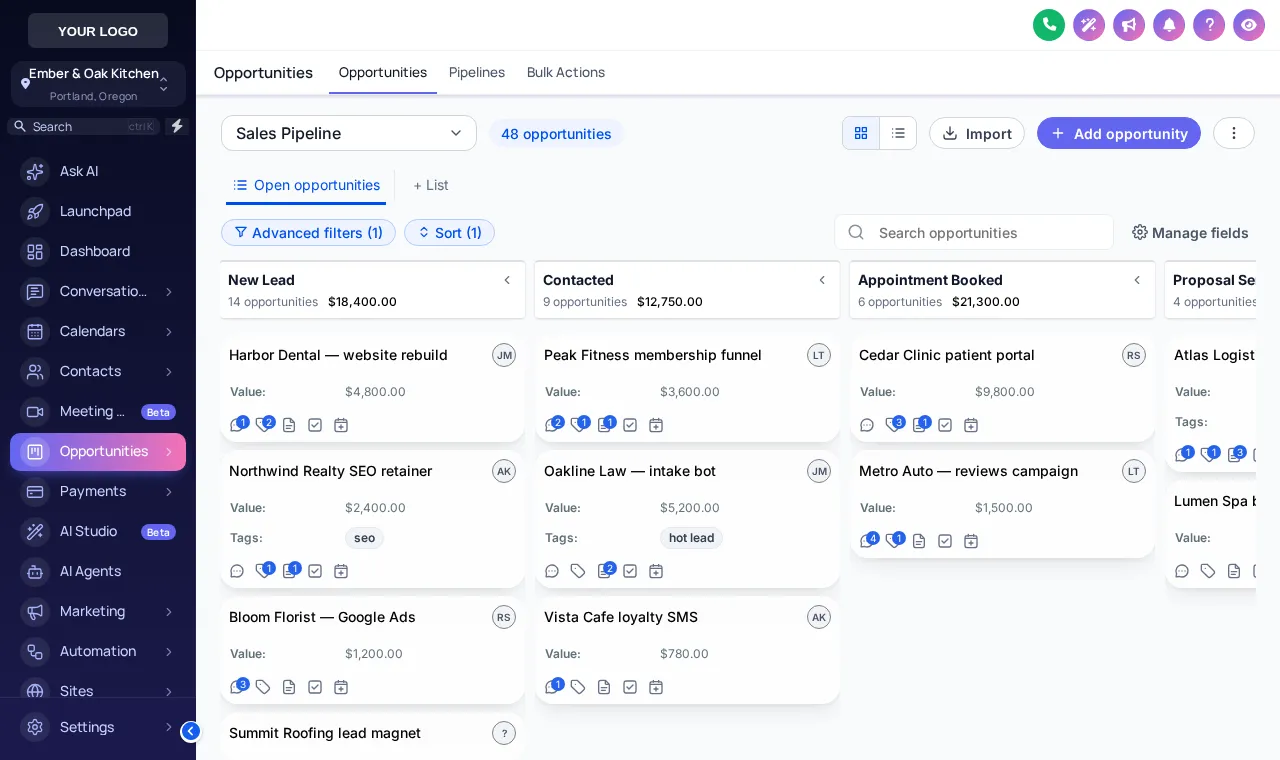
GHL dark mode, glass and gold on real screens
The GoHighLevel UI kit list
11 ways to draw a card
A theme chooses colours; a kit chooses manners. Glass frosts cards over the page, Brutalist gives them hard outlines, Rounded Pill softens every control. Mix any kit with any theme.
- Soft Shadowkit
- Bordered Flatkit
- Elevatedkit
- Glasstonight
- Accent Topkit
- Side Accentkit
- Brutalistkit
- Studio Gradientkit
- Halo Glowkit
- Crisp Highlightkit
- Rounded Pillkit
Before and after
Stock blue to your house colours
Stock
- The default blue every agency shows
- No dark palette of your own for late closes
- Logo in one corner, nowhere else
Themed
- Your accent on buttons, tags and charts
- A dark palette for the whole app
- Brand on every screen a client opens
Where it earns its place
GHL brand colours for restaurant accounts
- A steakhouse in black and brass
Obsidian OLED or Royal Navy & Gold give a dark, low-glare app for a manager closing out at midnight.
- A bright brunch café
Light themes such as Desert Sand or Golden Hour keep the app airy, matching the menu and the room.
- An agency’s house style
One theme across every restaurant client, so your support videos and screenshots always match what clients see.
- A night-time team
Dark mode cuts glare on a tablet in a dim dining room during late service.
How to apply a theme in four moves
Start from a theme
Pick one of the 27 themes as a base. Each sets the sidebar, accent, page background, cards and buttons in one go.
Swap the UI kit
Lay one of the 11 UI kits over it to change how cards, tables, tabs and inputs are drawn, from soft shadows to glass.
Add logo and colours
Upload your logo and set your brand colour; the editor shows the change on dashboards, contacts and the pipeline as you go.
Decide on dark mode
Keep the theme as designed or switch on a dark palette for the whole app, then save. The next GoHighLevel reload shows it.
Questions about the linen
GoHighLevel theme and dark mode FAQs
How do I change colours in GoHighLevel?
GoHighLevel itself only lets an agency change a few brand colours. With the customizer you pick a full theme, then adjust the accent, sidebar and page colours in a visual editor; the result is applied to every screen through one line of custom JS.
Can I run GoHighLevel in dark mode?
Yes, with the customizer. Switch on its dark palette and dashboards, contacts, conversations and the pipeline all follow it, in colours you control, for every user who logs in.
What is a UI kit?
A UI kit decides how components are drawn: card shadows and borders, button shapes, tables, tabs and inputs. There are 11, from Soft Shadow and Bordered Flat to Glass and Rounded Pill, and any kit works with any theme.
Can I match the theme to a restaurant’s brand?
Yes. Every theme is a starting point. Upload the logo, set the brand colour, and the accent carries through buttons, active menu items, tags and charts.
Does a theme change my data or layout?
No. Themes change colours, shapes and type, not what is on a page or where your data lives. Remove the install line and GoHighLevel goes back to stock.
Will my team need retraining?
No. Menus stay where they were unless you also change the menu layout, and every page keeps its normal controls. People notice the new look, not a new workflow.
Can I try themes before buying?
Yes. The preview above runs the real engine on a copy of GoHighLevel. Open “All 27” to see every theme, change the kit, and flip into dark mode.
Which package includes themes and dark mode?
All 27 themes, 11 UI kits and dark mode are in Appetizer ($157 once) and every larger menu.
Pairs well with
More courses from the menu
Themes set the colours; the dashboard designs and menu layouts set the room.
Ready when you are
Lay the table in your colours
27 themes, 11 UI kits, dark mode and 16 login designs on Appetizer, paid once.
Paid once by card through Stripe · login by email within minutes · no monthly fee