
Course IV · Floor plan
GoHighLevel menu customization: set the floor plan
GoHighLevel menu customization decides how fast a host finds tonight’s bookings. Keep the sidebar or move it right, switch to a top bar in 8 styles, open sections as 8 kinds of mega menu, and float a quick menu over every page. Rename and reorder items so the pages your team uses most sit up front.
Walk the room
Try the GHL sidebar, top bar and mega menus
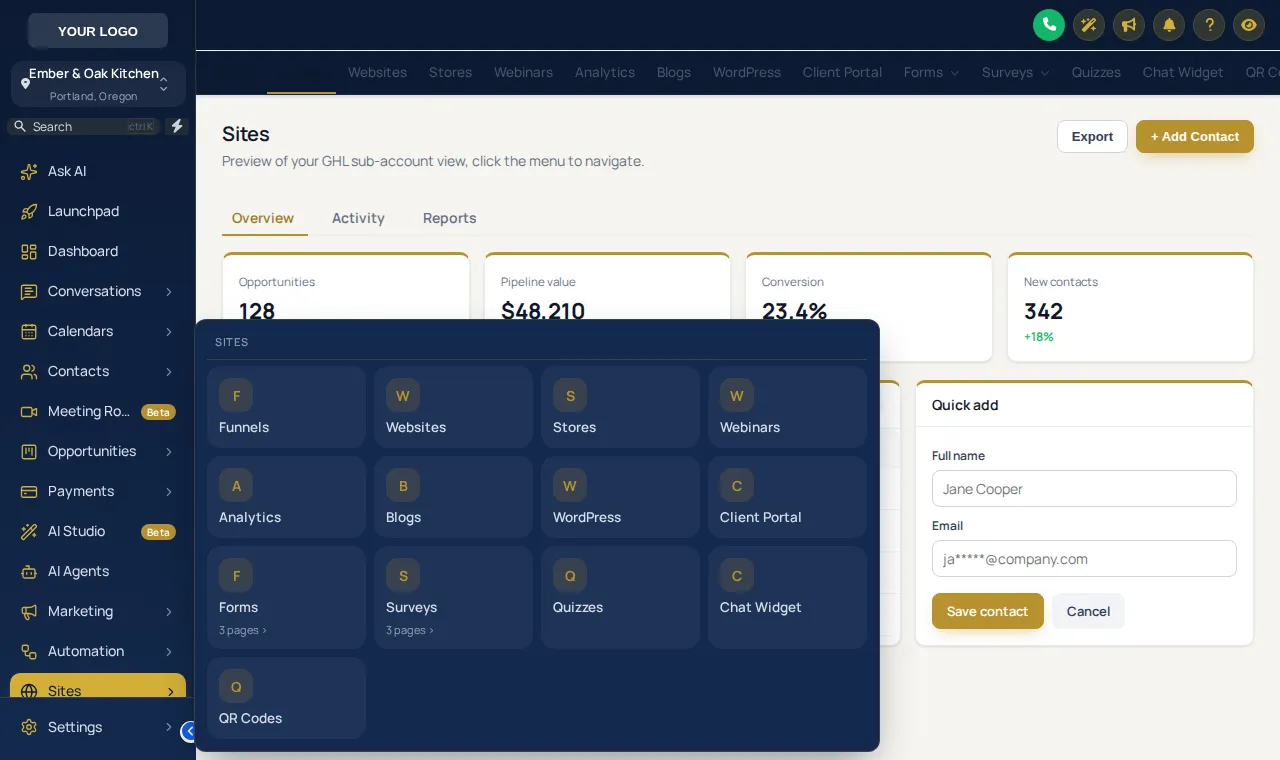
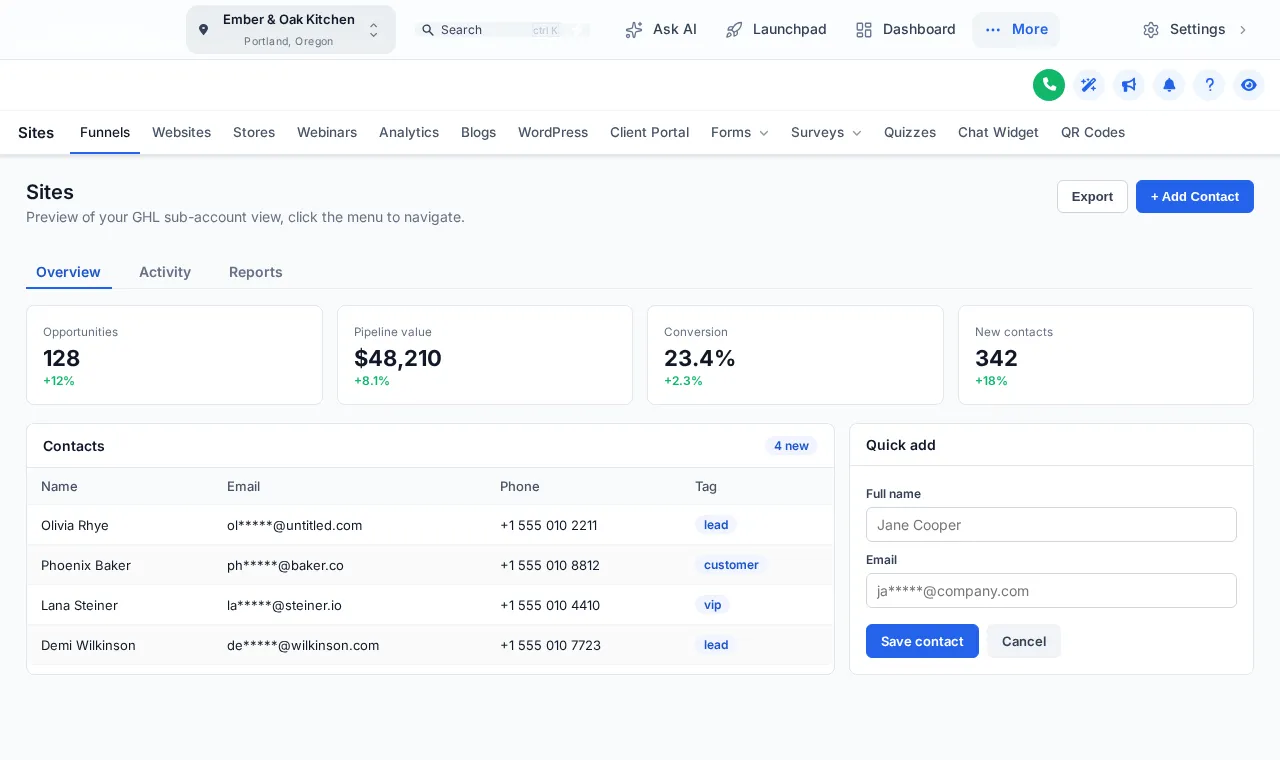
Pick a layout, then hover or click inside the preview. Sites opens as a tiles mega menu by default; switch the sub-menu style to see the other 7, or change the header.
Top bar · 8
- Solidbar
- Floatingbar
- Glassbar
- Brand gradientbar
- Underlinebar
- Segmentedbar
- Centeredbar
- Slimbar
Mega menu · 8
- Columnspanel
- Splitpanel
- Cascadepanel
- Tilespanel
- Tabspanel
- Icon railpanel
- Accordionpanel
- Widepanel
Header · 8
- GoHighLevel defaultheader
- Soft tintheader
- Brandheader
- Gradientheader
- Auroraheader
- Darkheader
- Glassheader
- Accent lineheader
From Main Course
A GoHighLevel floating menu for the busiest pages
The quick menu floats over every page with the shortcuts you choose. Open the bubble, hover the dock, and drag it by its grip to park it where it does not cover anything.
Seating the team
Menu layouts that suit a restaurant team
- The host stand
Calendar, conversations and contacts at the top of the menu; everything else one click further away.
- Events and private dining
A mega panel that opens the pipeline, forms and quotes together for the events coordinator.
- Wide monitors in the office
A top bar frees the full width for the pipeline board and reports.
- Tablets on the floor
Icons-only or a floating dock keeps the screen clear for the guest record.
Four steps to a new floor plan
Choose where the menu lives
Left sidebar, right sidebar, a top bar, a top bar merged into the header, or icons only.
Tidy the items
Rename, reorder, hide or regroup menu items so the host stand sees bookings and conversations first.
Pick sub-menu and header styles
On Main Course and up, open sections as one of 8 mega-menu styles; any menu can use one of 8 header styles.
Add a floating quick menu
Also from Main Course: a bubble, dock or side rail of shortcuts that floats over every page and can be dragged anywhere.
Questions about the layout
GoHighLevel menu customization FAQs
Can I move the GoHighLevel sidebar?
Yes. The customizer can keep the menu on the left, move it to the right, turn it into a top bar, merge that bar into the header, or collapse it to icons only.
Can I rename or hide GoHighLevel menu items?
Yes. In the menu editor you can rename, reorder and hide items and set icons, so a restaurant team sees “Bookings” and “Guests” where that helps. Hidden items are only hidden from the menu; permissions still come from GoHighLevel.
What is a mega menu in GHL?
A mega menu opens a whole section, such as Sites or Payments, as a panel of its sub-pages instead of a plain list. There are 8 styles, from columns and tiles to tabs and an icon rail.
What is the floating quick menu?
A small launcher that floats over every page with the shortcuts you choose. It comes in 3 layouts (bubble and grid, dock bar, side rail) and 8 designs, and people can drag it out of the way.
Do top bar styles change much?
Yes. The 8 top-bar styles range from a solid bar to glass, a brand gradient, segmented and slim, so the same menu can feel formal or relaxed.
Will this confuse my team?
Not if you keep the item names. Most teams move the five pages they use most to the top and hide the rest, which shortens training rather than lengthening it.
Does it work on tablets and phones?
Yes. Layouts adapt to smaller screens, and the preview has a phone view so you can check what a host on a tablet sees.
Which package includes what?
The sidebar or top-bar layout is on Appetizer ($157 once). Mega menus and the floating quick menu start on Main Course ($387 once).
Pairs well with
More from the menu
A new layout looks best with a matching theme and a dashboard design.
Ready when you are
Seat your team where the work is
Mega menus, the floating quick menu, dashboards, pipeline styles and contact actions all come on Main Course, paid once.
Paid once by card through Stripe · login by email within minutes · no monthly fee