Course III · The pass
A GoHighLevel custom dashboard that reads like the pass at seven
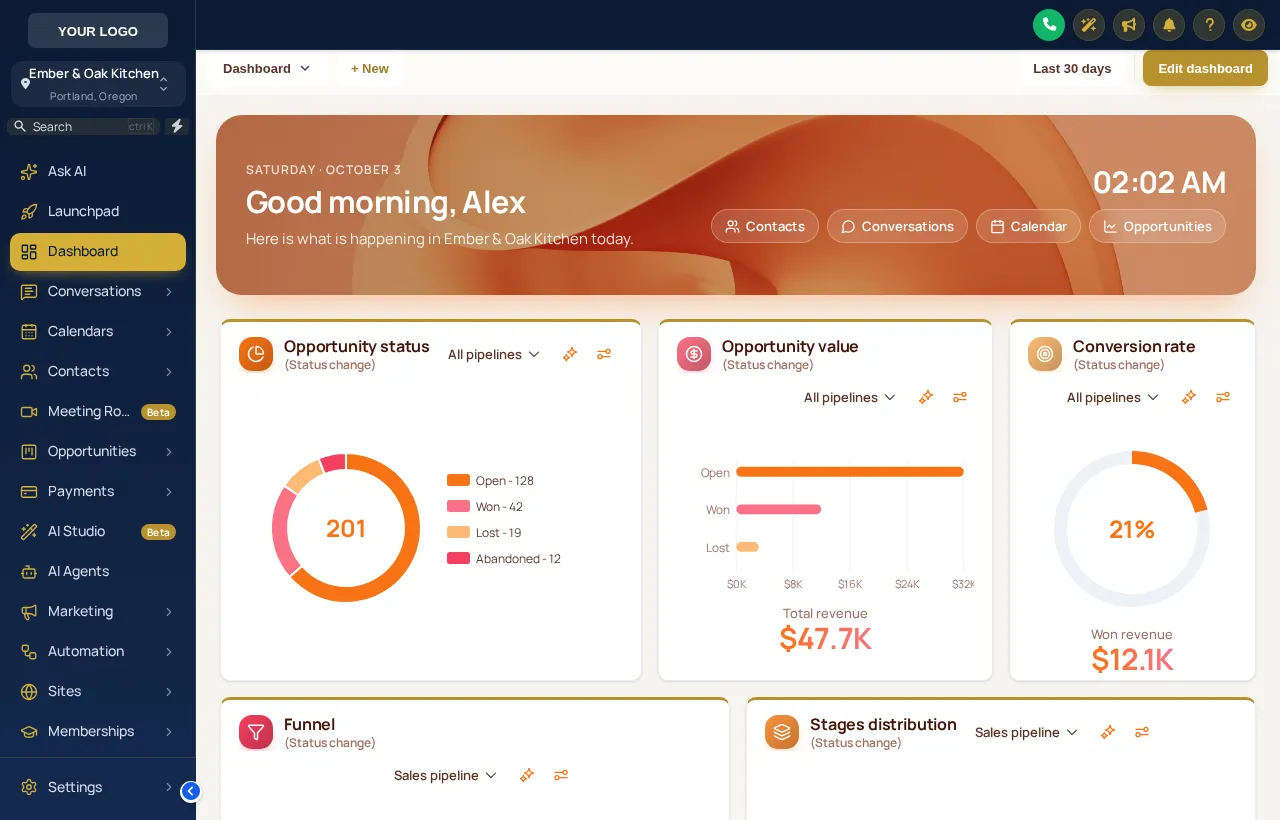
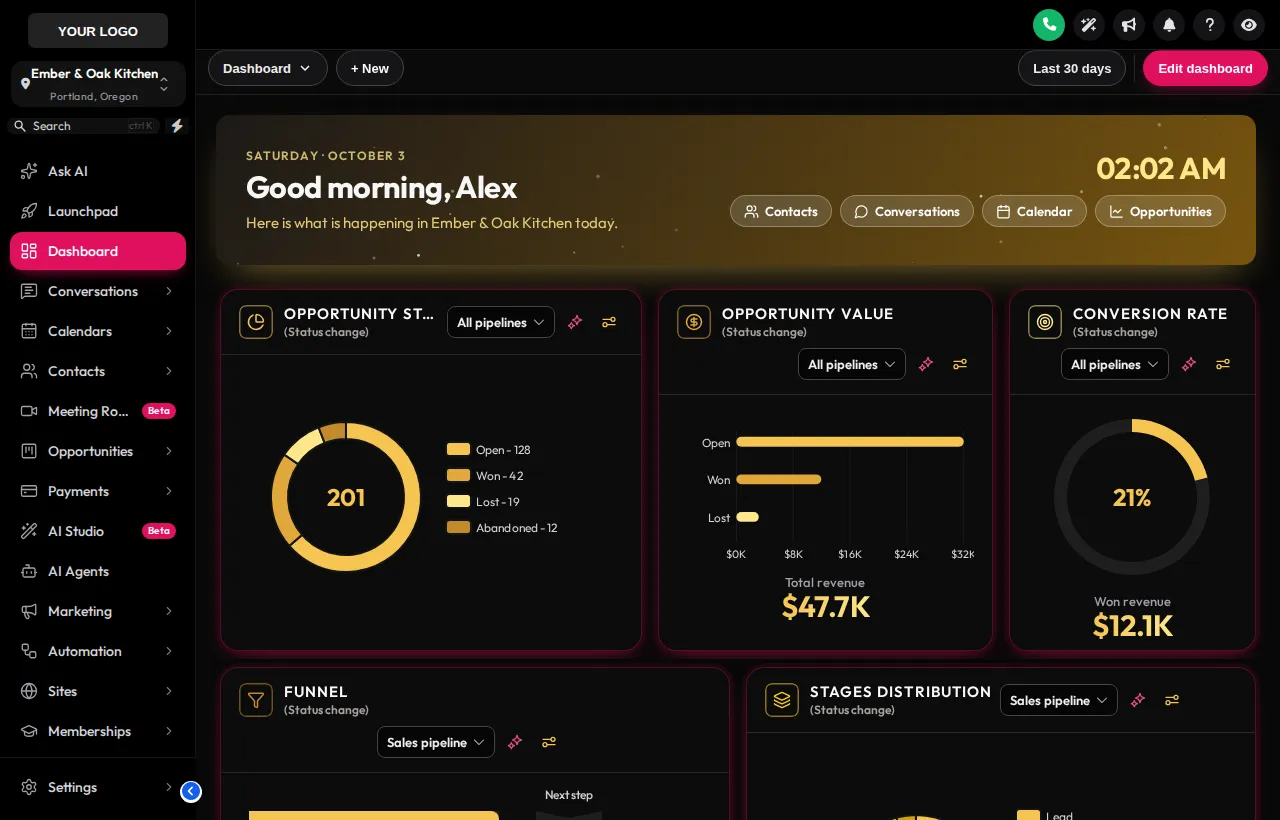
A GoHighLevel custom dashboard is the first screen a restaurant team sees each shift. Pick one of 18 designs and every sub-account opens on a welcome banner with a live clock, quick links to the pages people need, and widgets drawn in your colours. The numbers stay the same; they just become easy to read across a busy room.
On the pass
Try all 18 GHL dashboard designs
Start with Liquid 3D, then filter by photo, light or dark. The clock is live, and the banner, quick links and chart colours are part of each design.
Warming up the live preview
Liquid 3DEvery chip is one of the real dashboard templates, applied by the customizer engine to a copy of the GoHighLevel dashboard. The clock is live; the quick links and chart colours are part of each design.
What a design plates up
Inside a GHL welcome banner and dashboard theme
A greeting with names in it
“Good evening, Maria. Here is what is happening at Ember & Oak today.” Placeholders fill each person’s name and location.
Time and date on the banner
Handy on a back-office screen that stays open through service.
One tap away
Conversations, calendar, contacts and the pipeline from the banner.
Your palette
Charts and rings follow the design or your brand colour.
Calm cards
Borders, shadows, radius and headers drawn to match.
The full list
18 designs, three styles
Photo · 6
- Northern Lightsaurora photo
- Pastel Skydreamy cloud photo
- City Nightsskyline hero
- Lagoonturquoise water hero
- Golden Hoursunset mountain hero
- Liquid 3Dsculpted 3d hero
Light · 9
- Aurora Glassfrosted cards on a soft colour mesh
- Clean Bentobig rounded tiles
- Sunset Warmcream canvas
- Ocean Procorporate blue header bands
- Emerald Financemoney-green accents
- Candy Pastelsoft pastel mesh
- Brand Matchbuilt from your primary colour
- Slate Minimalflat
- Neo Brutalthick outlines
Dark · 3
- Midnight Neondeep navy
- Obsidian Goldblack and gold
- Cyber Griddark grid
Who reads it
Dashboards for restaurant managers
- The general manager before service
Opens GoHighLevel to a banner with their name and the venue, then jumps to tonight’s calendar from a quick link.
- The owner on a phone
Bigger numbers and clearer cards make the weekly glance at enquiries and reviews faster.
- An agency’s account manager
Every restaurant client opens on the same branded dashboard, so screenshots in reports always look like your product.
Four steps to a new dashboard
- 01
Open the dashboard designer
In the customizer, open the dashboard section and browse the 18 designs by style: photo, light or dark.
- 02
Write the welcome banner
Set the greeting and line under it. Placeholders such as the user’s first name and the location name fill in for each sub-account.
- 03
Pick quick links and colours
Choose the shortcuts on the banner and let chart colours follow your brand, then check it in the live preview.
- 04
Save and reload GoHighLevel
The design reaches every sub-account dashboard on its next load. No new code, no re-install.
Questions from the office
GoHighLevel dashboard design FAQs
Can I customize the GoHighLevel dashboard?
Yes. The customizer restyles the sub-account dashboard: a welcome banner with a live clock and quick links, the widget cards, numbers, charts and background. There are 18 designs to start from.
Do dashboard designs change my numbers or widgets?
No. The widgets you add in GoHighLevel and the numbers they show stay exactly as they are; the design changes how they are drawn and adds the banner above them.
Which dashboard does it restyle?
The sub-account dashboard, the page each restaurant account opens on. The agency view keeps its own look from your theme.
What goes in the welcome banner?
A greeting, a short line, a live clock and quick links. The text can use placeholders such as the first name and location, so a manager at each venue sees their own name and restaurant.
What are photo dashboards?
6 of the designs use a photo or sculpted image behind the banner, such as Liquid 3D, Golden Hour and City Nights. You can use them as they are or bring your own image.
Will it work with dark mode?
Yes. 5 designs are dark by default, and the dark designs pair with dark themes such as Obsidian OLED for late-night service.
Can I try them first?
Yes. The preview above applies each real template to a copy of the GoHighLevel dashboard. Filter by photo, light or dark and change the sidebar theme.
Which package includes the dashboard designer?
The dashboard designer starts on Main Course ($387 once) and is included on every larger menu.
Pairs well with
Next on the menu
Dashboards come on the same menu as the pipeline board styles and the contact actions bar.
Ready when you are
Open every shift on your dashboard
The dashboard designer, pipeline styles, mega menus and contact actions come together on Main Course, paid once.
Paid once by card through Stripe · login by email within minutes · no monthly fee